How to Delete Multiple Video Recordings
You can delete up to 100 videos at a time while you are logged into your account on the Trane® Home web portal. Once logged into your account, follow the steps below to delete up to 100 videos at once.
NOTE: The Trane Home mobile app does not allow you to delete multiple videos simultaneously. However, you can delete videos individually using the mobile app.
To Delete Multiple Videos From a Single Camera
- Log into the Trane Home web portal.
- If you have multiple homes, select the home where the camera in question is installed.
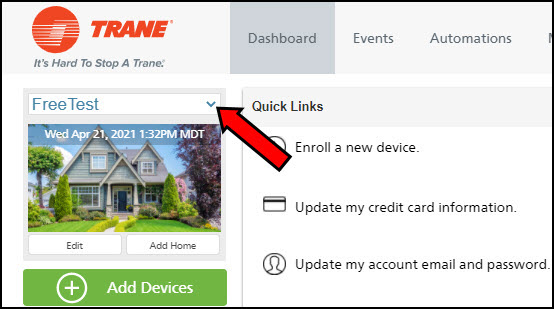
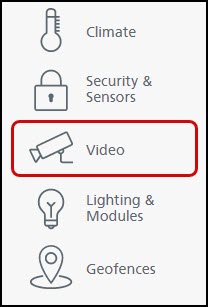
- Select Video from the grey menu on the left side of the page.
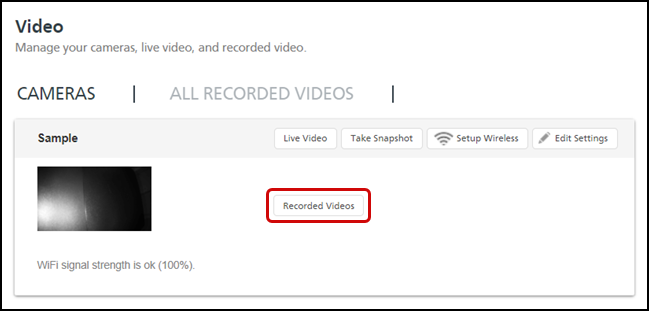
- Press Recorded Videos next to the camera to see all of the videos recorded by that camera.
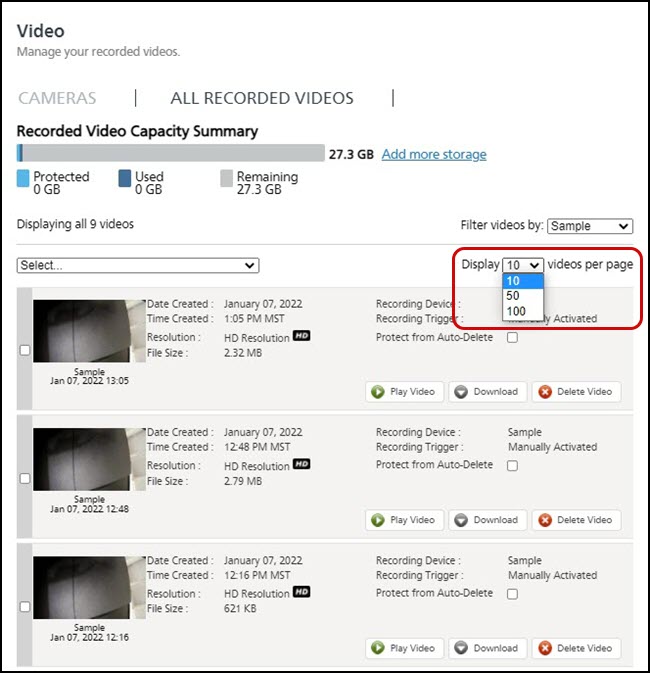
- Select the Display drop-down menu to change how many videos are displayed on the page. You can choose 10, 50, or 100 per page, depending on your preferences.
- Select the videos you wish to discard using one of these options:
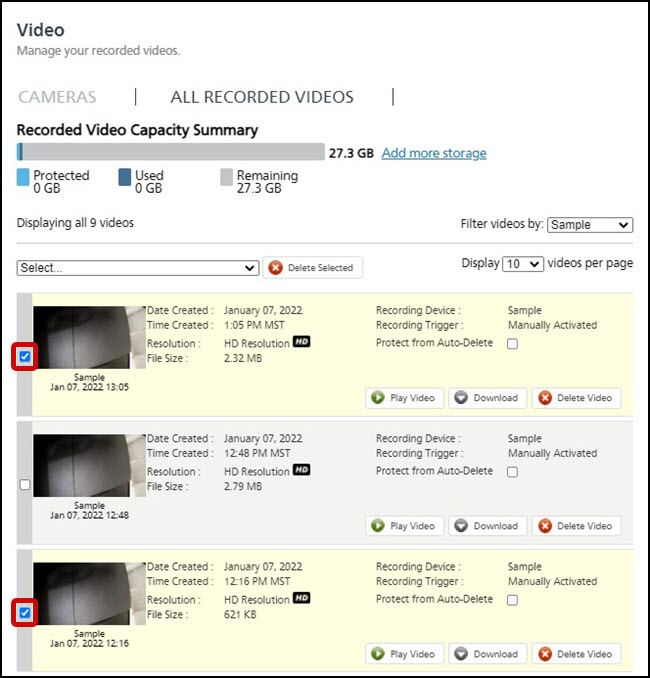
- Select individual videos by clicking the checkbox to the left of the video thumbnail.
- Or use one of the options from the Select drop-down menu.
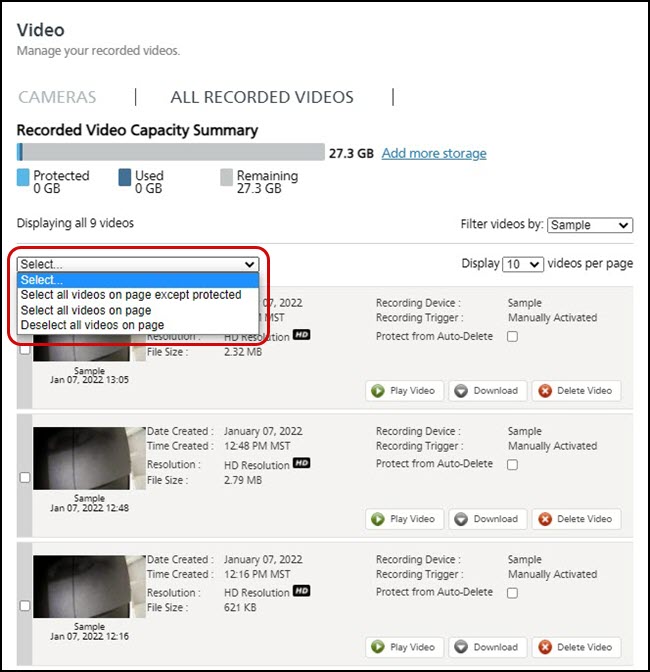
- Choose Select all videos on page except protected to select anything that has not been protected from auto-delete. For more information on protecting videos, please see How To Prevent Videos from Being Lost or Overwritten.
- Choose Select all videos on page to select all videos, including protected videos.
- NOTE: You can choose to Deselect all videos on page at any time to undo all selections.
- Select individual videos by clicking the checkbox to the left of the video thumbnail.
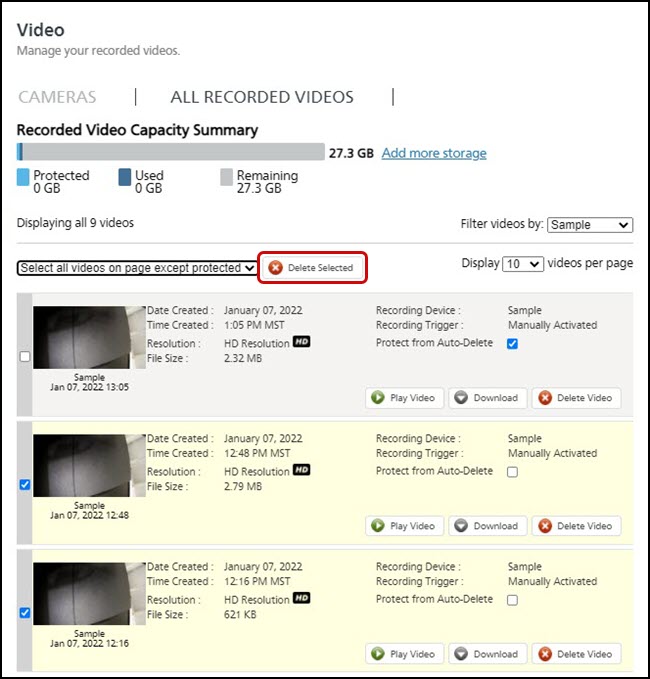
- Click Delete Selected.
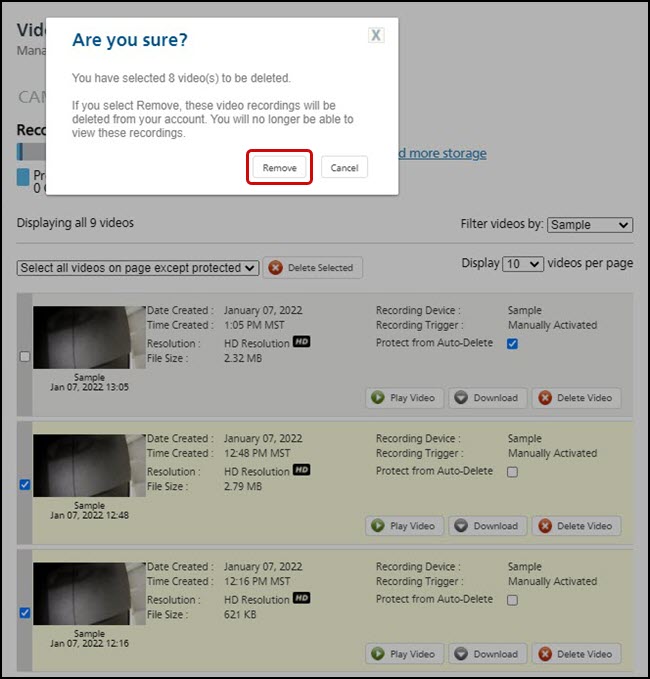
- Press Remove to confirm the deletion.
To Delete Multiple Videos From Multiple Cameras
- Log into the Trane Home web portal.
- If you have multiple homes, select the home from which you want to delete videos.
- Select Video from the grey menu on the left side of the page.
- Click on the All Recorded Videos tab. This will display all of the stored videos for all of your cameras.
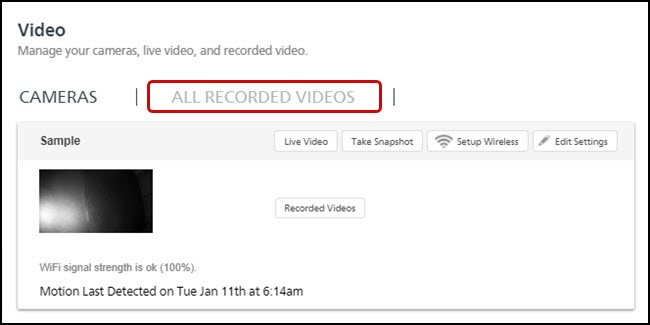
- Follow steps 5-8 from the process above.
NOTE: |
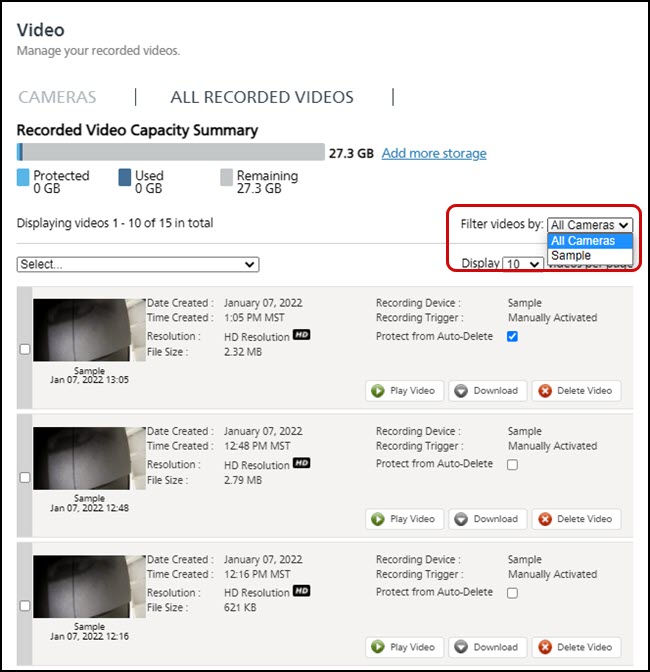
You can also filter your view by individual cameras from the All Recorded Videos page. To do this, click the Filter videos by drop-down and select any one of your cameras or choose All Cameras.
|
If you have any questions or need assistance, please contact Trane Home Customer Support via email at help@tranehome.com or call 1-877-288-7707, Monday-Friday 9 AM – 8 PM ET, and Saturday 10 AM – 5 PM ET.
Comments
0 comments
Article is closed for comments.